How Human-Like AI Agents Transform Customer Support Across WhatsApp, Email and Web
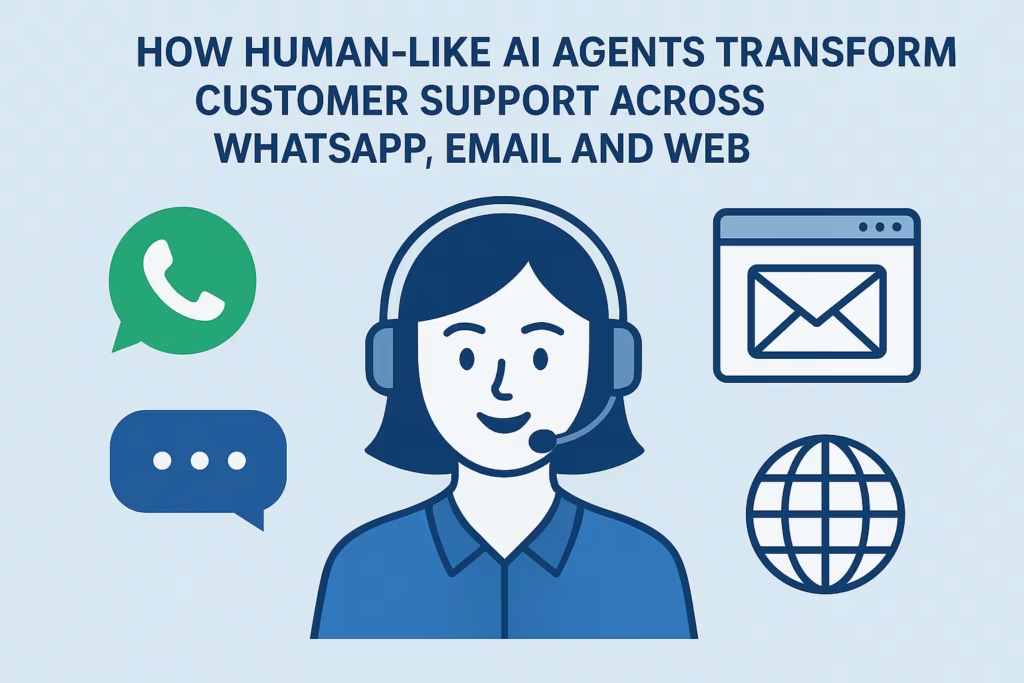
Customer conversations have moved everywhere at once: WhatsApp, Instagram DMs, email, website chat, SMS, even voice calls. The brands that win are the ones that can respond instantly, consistently, and in a way that still feels human.
That’s exactly where human-like AI agents come in—and where platforms like MessageMind
change the game.
In this guide, we’ll break down how human-like AI agents work, why they matter across WhatsApp, email and web, and how to roll them out in a way that actually boosts revenue, not just cuts costs.
What Is a Human-Like AI Customer Support Agent?
A human-like AI customer support agent is an AI system that:
Understands natural language (not just keywords)
Responds in a conversational, brand-appropriate tone
Remembers context within a conversation
Can take actions: look up orders, schedule bookings, qualify leads, and more
Unlike basic chatbots that rely on rigid decision trees, human-like AI agents can handle free-form questions across multiple channels—WhatsApp, email, web chat, and more—without forcing customers down a scripted path.
In plain terms: It feels like chatting with a trained support rep, but the rep is available 24/7 and can handle thousands of chats at once.
Why Human-Like AI Agents Matter Across WhatsApp, Email and Web
- WhatsApp: Turning DMs into a 24/7 Service & Sales Channel
WhatsApp is where customers already spend their time. When you add a human-like AI agent there, it becomes a real-time service desk and storefront.
What a human-like AI agent can do on WhatsApp:
Answer common support questions instantly (shipping, returns, account issues)
Qualify leads and ask discovery questions before passing them to sales
Share product recommendations with deep context (size, budget, preferences)
Automate follow-ups, reminders and re-engagement campaigns
Because conversations are two-way and ongoing, your AI agent can keep context:
If a customer asks about a product on Monday and comes back on Thursday, the agent can reference the previous conversation, just like a good human agent would.
👉 You can position WhatsApp AI in your content with keywords like “WhatsApp AI customer support” and “WhatsApp support automation” while still sounding natural.
- Email: From Backlog Chaos to Instant, On-Brand Replies
Email is still where many complex support and sales conversations happen. The problem?
Response times often stretch into days, and tone can be inconsistent across agents and regions.
A human-like AI agent built into your email workflows can:
Auto-draft replies that your team simply reviews and sends
Fully automate responses for high-volume, low-complexity requests
Maintain consistent tone and brand voice across every reply
Prioritize messages that actually need a human touch
Example email flows AI can automate:
Order status & tracking
Booking confirmations & changes
Basic invoice and billing questions
FAQ-style product questions
This is where “AI email support” and “AI-powered customer service emails” become powerful long-term SEO keywords, especially if you show before/after response times and productivity gains.
- Web Chat: Human-Like Conversations at the Moment of Intent
On your website, customers are often in “decide now” mode. A clunky or robotic web chatbot can cost you leads and sales.
A human-like AI agent on web chat can:
Greet visitors with tailored prompts based on page or campaign source
Answer pre-purchase questions in real-time (pricing, features, integrations)
Capture lead details in a natural way (not a rigid form)
Escalate hot leads directly to human sales in real time
Because it understands natural language and context, the AI doesn’t break when someone types a long, messy question—it simply responds like a knowledgeable rep.
For SEO, this supports keywords like “AI website chat for customer support” and “human-like AI chat on website” while aligning with high-intent traffic.
How Human-Like AI Agents Actually Work (Behind the Scenes)
To demystify things for readers (and answer common “how does this work?” queries for answer engines and voice search), it’s useful to break down the components.
- Language Understanding Powered by LLMs
Human-like AI agents often rely on large language models (LLMs)—advanced AI models trained to understand and generate human language.
They can:
Parse long, unstructured questions
Handle slang, typos, multi-language inputs in many cases
Generate replies that sound human, not robotic
This is why they’re suited for WhatsApp, email and web where messages tend to be less structured and more conversational.
- Knowledge and Context from Your Business
An AI agent isn’t just “smart in general”—it becomes smart about your business by:
Training on FAQs, help center articles, internal docs
Connecting to your CRM, order system, booking system, etc.
Learning from real historical conversations
Platforms like MessageMind
specialize in turning all this into a single, unified brain that stays up to date as your business changes.
For deeper education content, you might link internally to a guide like:
How AI Customer Service Works Behind the Scenes
(adjust URL to your actual blog structure).
- Action Layer: Actually Doing Things, Not Just Answering
The most powerful AI agents don’t just answer questions—they take actions, such as:
Updating orders
Initiating refunds (within rules)
Booking or rescheduling appointments
Routing tickets to the right team
Logging conversation data back into your CRM
This is key for search queries like:
“Can AI agents handle refunds in customer support?”
“Can AI agents book appointments across channels?”
By answering those explicitly in your content, you align with AEO (answer engine optimization) and VSO (voice search optimization)—people often ask exactly these questions aloud to voice assistants.
Benefits of Human-Like AI Agents for Modern Support Teams
Faster Responses Without Hiring Spree
Human-like AI agents can handle thousands of conversations in parallel, giving customers instant replies while your human agents focus on complex and high-value issues.
Consistent Brand Voice Across Channels
No more worrying about tone differences between regions or shifts. Your AI agent:
Uses a consistent voice
Adheres to brand language (e.g., friendly, concise, playful, formal)
Keeps responses within your policies and compliance rules
24/7 Coverage Without Burnout
Customers expect support outside traditional business hours, especially across time zones. AI agents make round-the-clock coverage realistic.
Higher Revenue from Conversational Commerce
On WhatsApp and web, human-like AI agents can gently guide visitors from questions to checkout:
Recommending products based on needs
Upselling/cross-selling relevant items
Recovering abandoned carts through follow-up messages
This is an opportunity to create internal content clusters around terms like “conversational commerce,” “WhatsApp sales bot,” and “AI sales assistant.”
How to Implement Human-Like AI Agents with MessageMind
This section can directly feed both high-intent SEO and prospective customers who are nearly ready to act.
Step 1: Connect Your Channels
Start by connecting your main customer touchpoints to your AI platform:
WhatsApp Business API
Instagram and Facebook Messenger
Website chat widget
Email inboxes
SMS and, where relevant, voice
On your site, you can internally link to a solution overview, such as:
See all channels supported by MessageMind
.
Step 2: Feed the AI with Your Knowledge
Next, give your AI agent the context it needs:
FAQ documents and help center articles
Product catalog and pricing details
Policies on shipping, returns, warranties, etc.
Historical conversation logs (where compliant)
This not only improves answer quality, it helps you rank for long-tail queries, because the AI will be equipped to handle very specific, niche questions customers search for and ask.
Step 3: Define Guardrails and Escalation Paths
To maintain control and ensure quality:
Set clear rules on what AI can and cannot do (e.g., refunds over a certain amount)
Decide when to escalate to a human (high emotion, legal, medical, VIP customers, etc.)
Configure handover to human agents inside your existing tools
You might support this with an internal link like:
Best Practices for Safely Using AI in Customer Support
.
Step 4: Start with a Pilot, Then Scale
Instead of turning AI on everywhere at once:
Pick one or two channels (e.g., WhatsApp + website chat).
Start with a defined set of use cases (FAQs, order tracking, basic lead qualification).
Monitor conversations, refine, and gradually expand its responsibilities.
This phased approach makes it easier to share a case study later and attract search traffic with titles like:
“How We Automated 70% of WhatsApp Support with Human-Like AI Agents”
“From 48-Hour Email Replies to Same-Day Resolution with AI Customer Service”
Common Questions About Human-Like AI Customer Support (FAQ)
These Q&A-style sections are gold for answer engines and voice search. Use them as H3s or structured FAQ schema.
Can a human-like AI agent really replace a human support rep?
AI agents are best at high-volume, repetitive conversations: order status, simple troubleshooting, FAQs, basic sales questions.
In most cases, the ideal setup is AI + humans:
AI handles the bulk of routine conversations.
Humans focus on complex, sensitive, or high-value customers.
Is AI safe to use for customer support on WhatsApp and email?
Yes, when implemented with the right guardrails. Your AI platform should:
Log all conversations for review
Follow your data protection and compliance requirements
Limit automated actions (like refunds) to safe thresholds
Do I need developers to set up a human-like AI agent?
With a platform like MessageMind, you typically don’t need a full engineering project to start:
Connect channels via guided integrations
Import content via dashboards
Configure flows and rules visually
Technical teams can extend capabilities further with APIs and custom integrations, but you can get value quickly without writing code.
Suggested Internal & External Links to Include
You can adapt these to your actual URL structure:
Internal links (Messagemind):
AI Customer Service Platform
– link from the first mention of MessageMind.
“Learn more about AI customer service” → /blog/ai-customer-service-guide
“Omnichannel AI support across WhatsApp, email and web” → /solutions/omnichannel-customer-support
“Book a live demo” → /book-a-demo or /contact
External links (authority & education):
“Future of customer experience” → link to a reputable CX research page, e.g. https://www.mckinsey.com/
“What customers expect from digital service” → link to a CX benchmark report from a trusted SaaS or research provider, e.g. https://www.salesforce.com/resources/
You can refine the exact URLs later, but including this link structure in the article helps search engines understand your topical authority and network of content.
Call to Action: See Human-Like AI Agents in Action
If you’re handling growing volumes of conversations across WhatsApp, email and your website, adding more human agents isn’t the only answer.
A human-like AI agent from MessageMind can:
Reply instantly, 24/7
Keep your brand voice consistent everywhere
Free your team to focus on complex, high-value cases
Turn everyday conversations into revenue opportunities
👉 Ready to see how this works for your business?
Book a demo with MessageMind
and explore how human-like AI agents can transform your customer support across WhatsApp, email and web.
